
See every account
Start with two accounts free. Veredio Pro supports up to eight account tiles with unread counts, sync status and recent activity at a glance.

A quieter way to manage email on Windows
Outlook, Gmail, Microsoft 365 and your own domains come together in one calm dashboard. Everything visible at a glance. Nothing buried between accounts.
In development for Windows 11
The whole day, in one view
See account health, unread mail, priorities and message content without opening four separate inboxes.
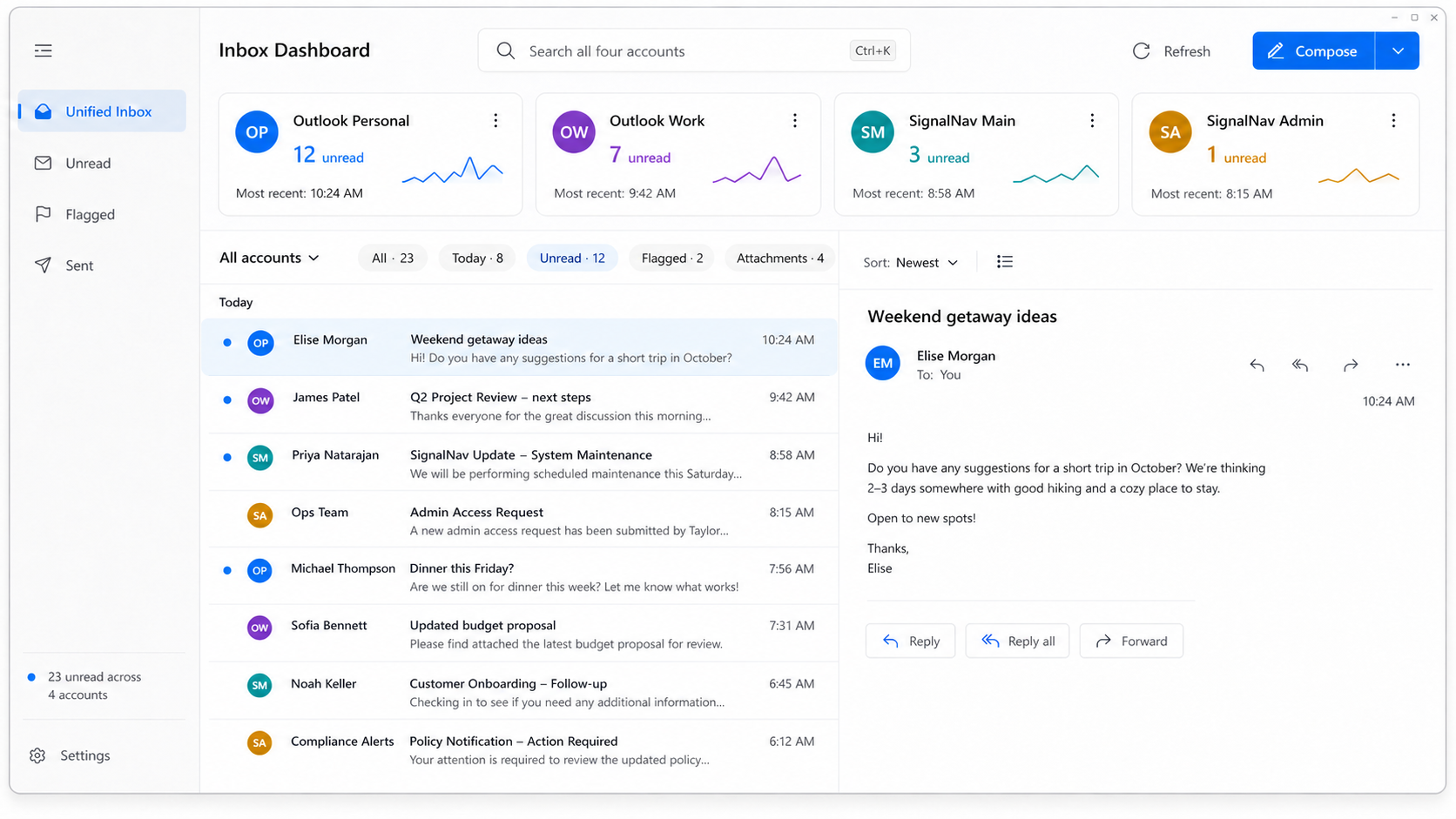
Veredio’s actual dashboard design — one account overview, one focused message list.
Less inbox switching
Work, personal mail and private domains rarely live in the same system. The result is a daily loop of opening accounts, checking badges and wondering what slipped by.
Veredio gives each account its own clear status while bringing the mail that matters into one working surface.
Start with two accounts free. Veredio Pro supports up to eight account tiles with unread counts, sync status and recent activity at a glance.
Filter, search, flag, delete and read rich email without losing sight of the account it belongs to.
Your working cache and search index stay on your PC. Veredio does not upload your mailbox to another service.
Built for the desktop
Veredio is a native Windows application—not a web page squeezed into a desktop frame. It follows the system theme, respects familiar controls and keeps its local data where you control it.
Veredio checks for new mail on an interval you choose, while it is running — it is not push, so mail can be that long old when it appears. The Android app adds an optional live connection that does arrive immediately.
In private testing
The same accounts and the same local-first approach, built for Android rather than squeezed into it. It is being tested privately now, ahead of a Play Store release.
The account grid comes with it: every mailbox as a tile with its own colour and unread count, a combined inbox across all of them, and search over the mail already on the device.
Read, write, reply, flag and file, with attachments and per-account signatures — plus an optional live connection that brings mail in the moment it is sent rather than at the next check.
Want it before it is public? Tick Android on the early-access form and we will be in touch.
Apply for early access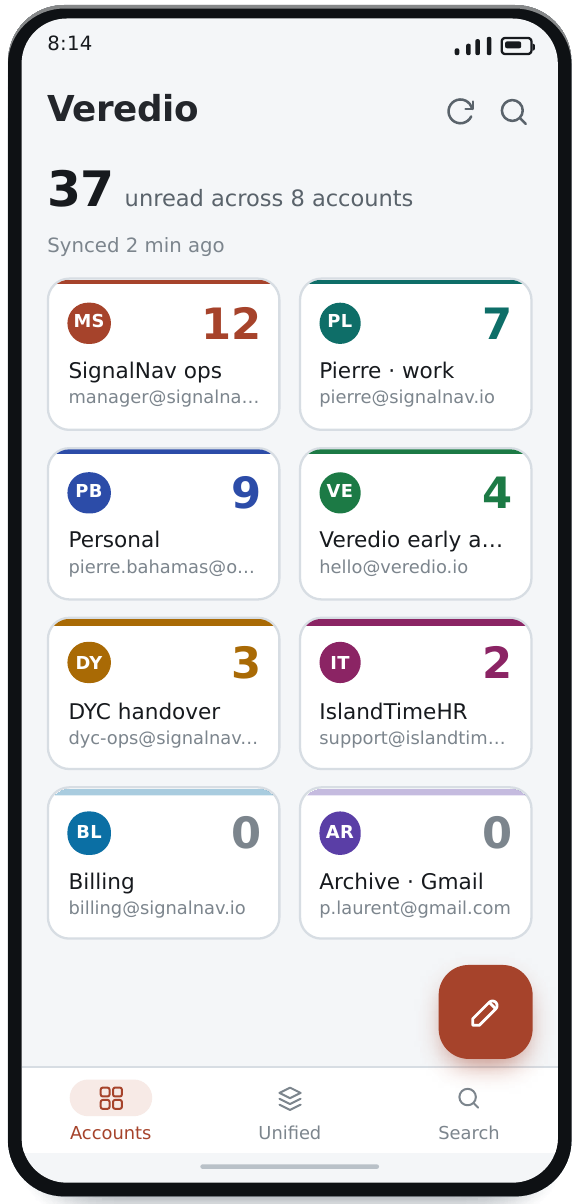
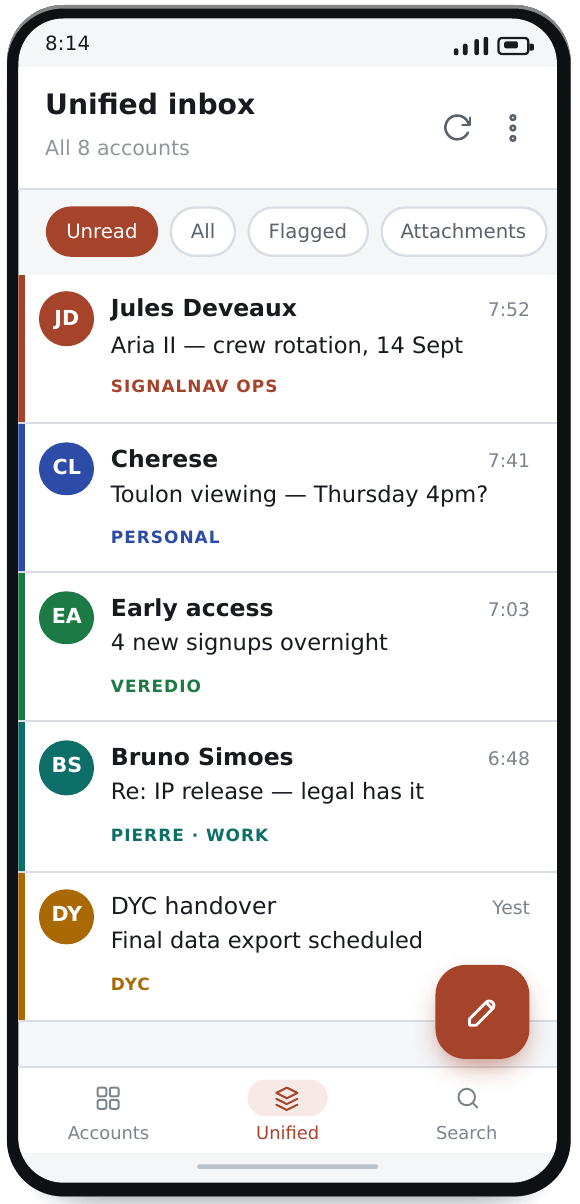
Design previews of the Android app in private testing — the released app may differ.
Why Veredio
“The post always got through.”
Rome moved messages by relay—fresh horses at every station, keeping correspondence moving across vast distances.
Veredio takes its name from the fast post-horse of that relay. Different services, one dependable route to your attention.
Help shape the first release
We’re looking for people who regularly manage several email accounts and are willing to tell us where Veredio saves time—and where it still gets in the way.
